Beyond student loans: three benefits for everyone else
Summer · Senior Product Designer · 2023–2026
- Scope
- End-to-end design of three benefits, employee and employer sides
- Team
- Me, with product, engineering and operations
- Status
- Live, add-ons; the college tools rebuilt on Mosaic in 2026
Outcomes
- 3
- benefits, designed from their first versions
- ~2/3
- eligible employees enrolled in Retirement Match at a direct employer, 2025
- 96%
- of Education Assistance landing-page visitors reached the form, 2025
- 30,000+
- scholarships in the finder
Information
A few things worth knowing before the story, if Summer and US employee benefits are new to you.
- Summer is
- a benefit that employers, cities and states offer their people to help with student debt: find the cheapest repayment plan, check for forgiveness, get the paperwork done.
- Retirement Match is
- a benefit where the student loan payments an employee is already making count towards an employer’s retirement contribution, so paying off debt no longer means missing out on retirement savings. A 2022 US law called SECURE 2.0 made this possible.
- Education Assistance is
- an employer paying for an employee’s course, either reimbursed after it is completed or approved and paid before it starts. US tax law (Section 127) lets employers do this tax-free up to an annual limit.
- A 529 plan is
- a tax-advantaged savings account for education costs, run by each US state. Picking one is confusing because every state has its own, and some give a tax break only to their own residents.
- The College Savings Planner is
- Summer’s set of tools for parents planning ahead: a calculator for what college will cost, a finder for 529 plans, and a finder for scholarships.
Why this matters
Imagine a warehouse team where a third of the people have student loans. Their employer buys Summer for everyone, and the two-thirds without loans open it, find nothing for them, and never come back. The benefit was real; it just was not theirs.
The people who do not have loans are not short of money problems. Many are paying down someone else’s debt, or paying for a course that would get them a better job, or quietly worrying about a child’s college years that are closer than they look. Roughly half of Americans do not know what a 529 savings plan is, about a quarter of families save in one, and college costs have risen more than nine-fold since the early 1980s.
For the employer, a benefit that only a third of staff can use is a hard sell internally. For Summer, it was the objection that came up in nearly every sales conversation.
The problem
"Not all of my employees have student loans." Summer heard that sentence so often it became the brief. These three benefits are the answer, and they came with a catch for the product.
Each one gives a different kind of customer a reason to say yes. Retirement Match gives payroll and retirement-plan partners something cheaper to offer than an employer paying down loans directly. Education Assistance wins employers away from the older tuition-reimbursement providers. The College Savings Planner was paid for by a city for its residents and is the extra that helps close state deals.
The catch is that once these exist, the app can no longer assume anything about the person logging in. Some employees only ever use one of them, and they may have no loans at all. So onboarding cannot open with questions about loans, personal details are collected only when a benefit needs them, and a benefit someone skips today has to be easy to pick up later. That constraint came out of these three products, and it now shapes the redesign of Summer’s core app: a home that is one template with slots for whichever benefits a person has, and a first run that never asks about loans first.
Retirement Match
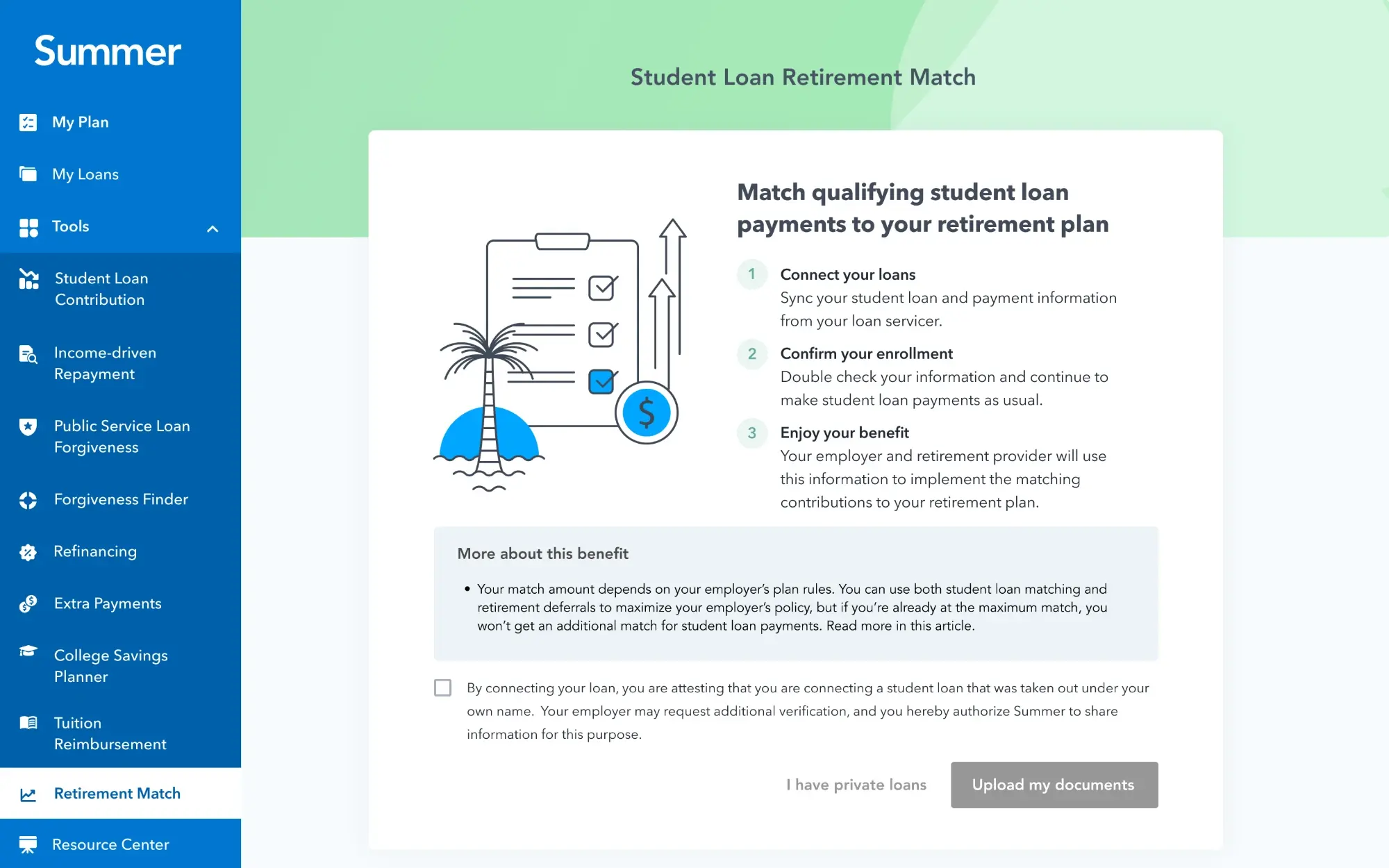
Under SECURE 2.0, qualifying student loan payments can count as elective deferrals for an employer match. Summer verifies the payments and reports them to the employer or recordkeeper; the employer sets the match, eligibility and vesting and never sees the employee's financial detail.
The 2023 version started where the data was: employees connected their loan accounts, transactions synced in, and a document upload covered the gaps. I designed the dashboard that showed payments per institution, the simulation that let an employer see what a match would cost, and the partner payment report that the product is really sold on. Then the operational pieces: credential resync when a servicer login changes, identity checks so the connected account belongs to the employee, and operations views with duplicate flagging.
What the clients taught us. A large financial-services employer calculates annually in January, which forced a split match period with a year-end catch-up. A direct employer in insurance reached roughly two-thirds adoption among eligible employees in 2025, far ahead of the payroll channel, which told us the problem was reaching people, not the in-app journey. The employee-facing piece I care most about is the decision experience: a payment is approved, rejected or pending, and a notification deep-links into a status screen that explains why. I prototyped it with AI tooling and handed it to engineering.
Verified data was the moat, and the data source has changed underneath it; the product idea survived the move. The 2026 direction, which I am designing, pulls up to twelve months of payment history on enrolment and asks the employee to confirm, deselect and attest. Making trusted data user-confirmable removes most of the manual review rather than automating it.
Education Assistance
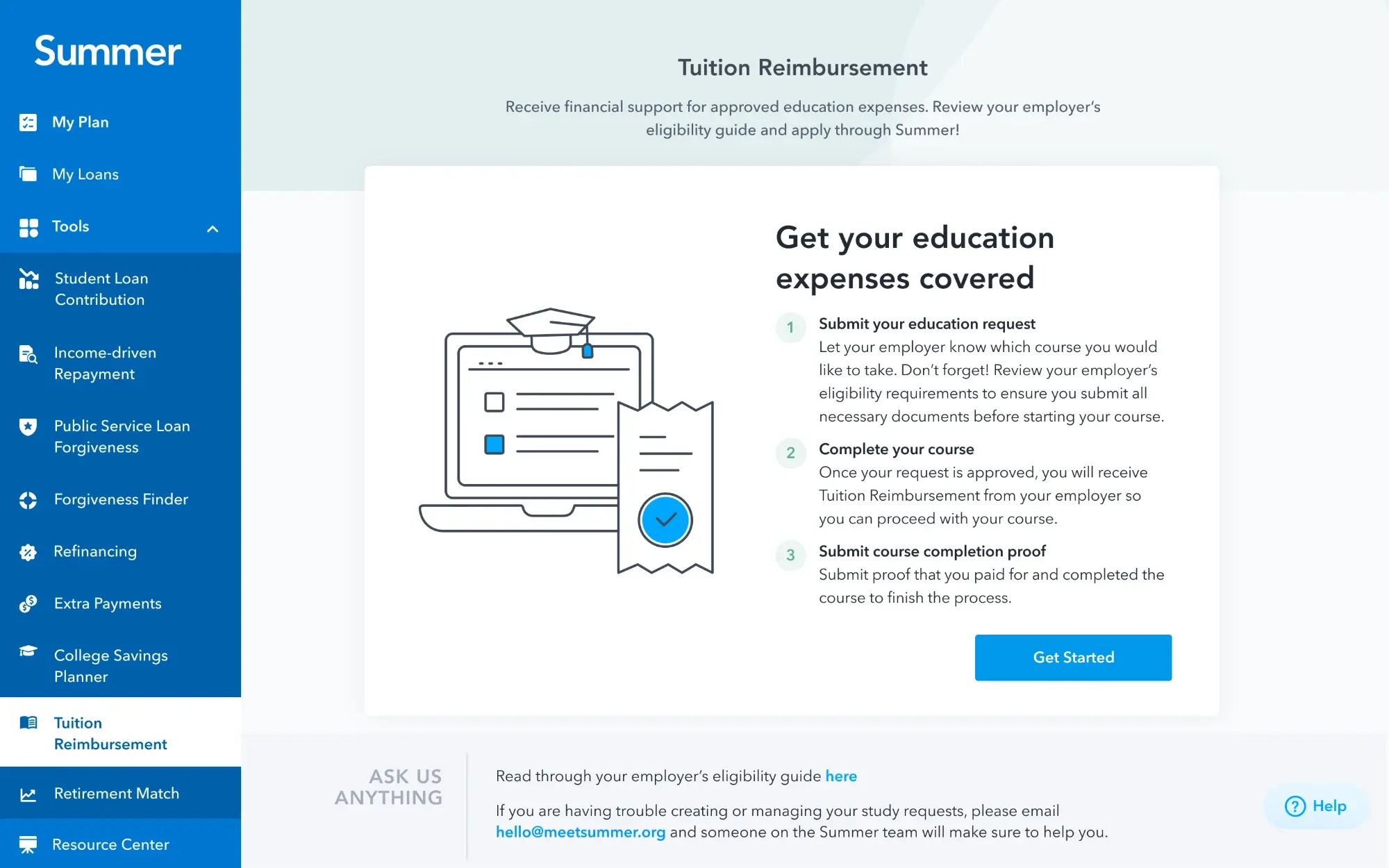
Section 127 education benefits in two shapes that share one system: reimbursement after a course, with proof of completion and payment, and assistance approved and paid before it. Employees submit from the app; employers approve in the client dashboard against policy-enforced, per-employee budgets.
The 2023 MVP was deliberately a two-page form: submit a request, then a claim, with the request created on submit rather than tracked as a long-running state the way the forgiveness flow works. That plainness let real launches set the roadmap. A large employer moved to Summer mid-programme in December 2024, which meant transition and in-flight data for people already part-way through a course, and partial reimbursement by grade (full for top grades, half for the middle, nothing below). A multi-site healthcare client with about a dozen locations needed each request routed to the right approver by location; it was in active use within a month. A fiscal-year client needed fiscal and calendar years handled side by side, with a combined view of what was pre-approved against what was actually paid.
On the employer side I designed the eligibility module: add employees by form or spreadsheet, validation, upload and audit history, benefit status, limits and spend tracking, and benefit-specific reporting. Two clients then asked for the thing reviewers actually need, a per-submission history with submitted, pre-approval, claim and decision dates, so deadlines tied to course completion or quarter close can be enforced at the submission being reviewed instead of in back-office data.
In 2025, 96 percent of people who reached the landing page went on to the submission form, and about 30 percent of account creators submitted a request. The flow is low friction; the work left is getting eligible employees to it.
College Savings Planner
A college cost calculator, a 529 plan finder across every state with in-state tax guidance, and a scholarship finder over thirty thousand scholarships. The planner had existed as a thin shell for years; in late 2025 and early 2026 it was rebuilt as a contractual deliverable for a city residents programme, accessible from day one on Mosaic.
The scope decision was the design decision. With a deadline and a small team, we chose four or five small standalone tools over a unified planning journey, and let the unified idea live in the core app redesign instead. A third-party college aid service was removed so users were not routed to a product with weaker privacy and security control.
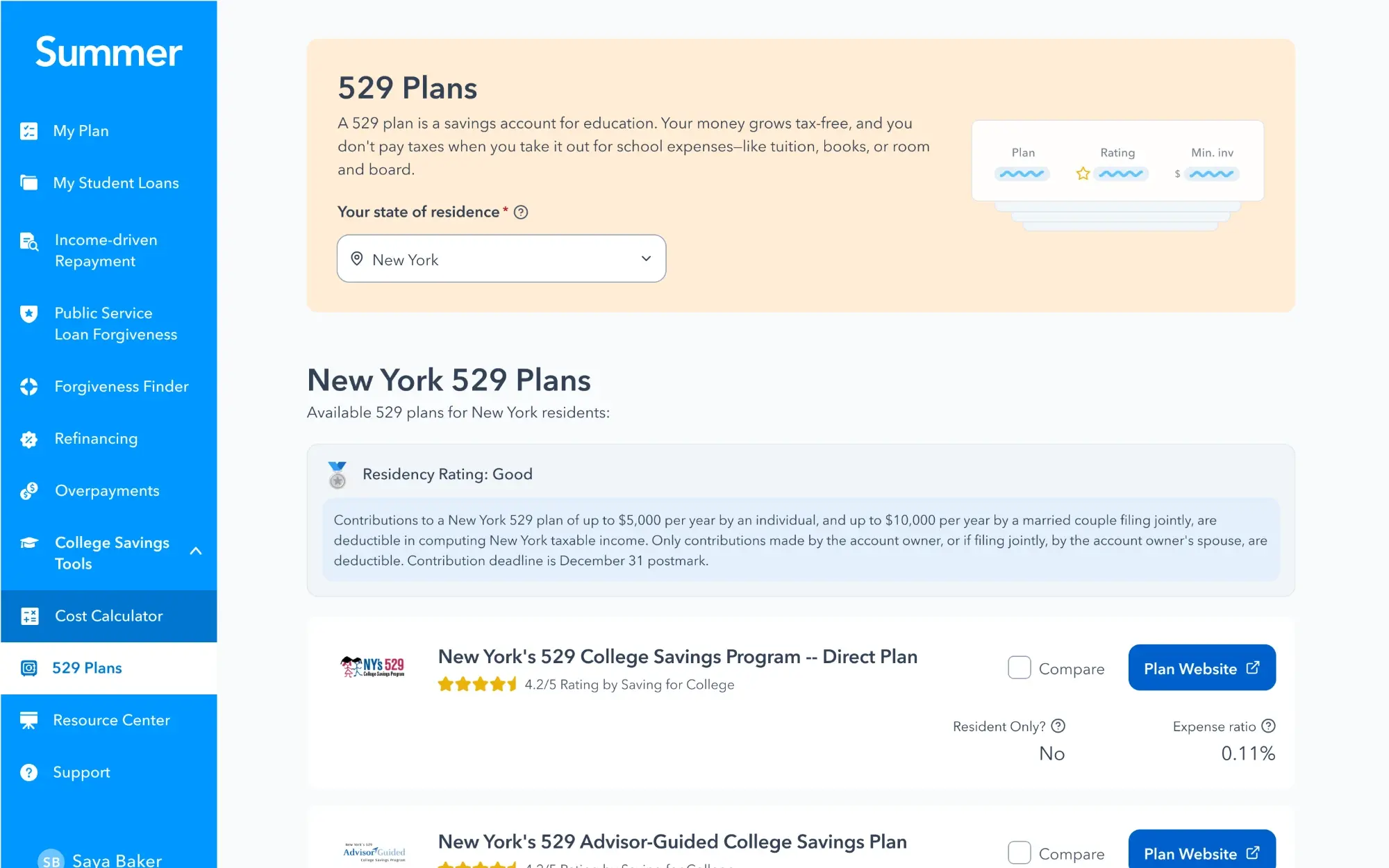
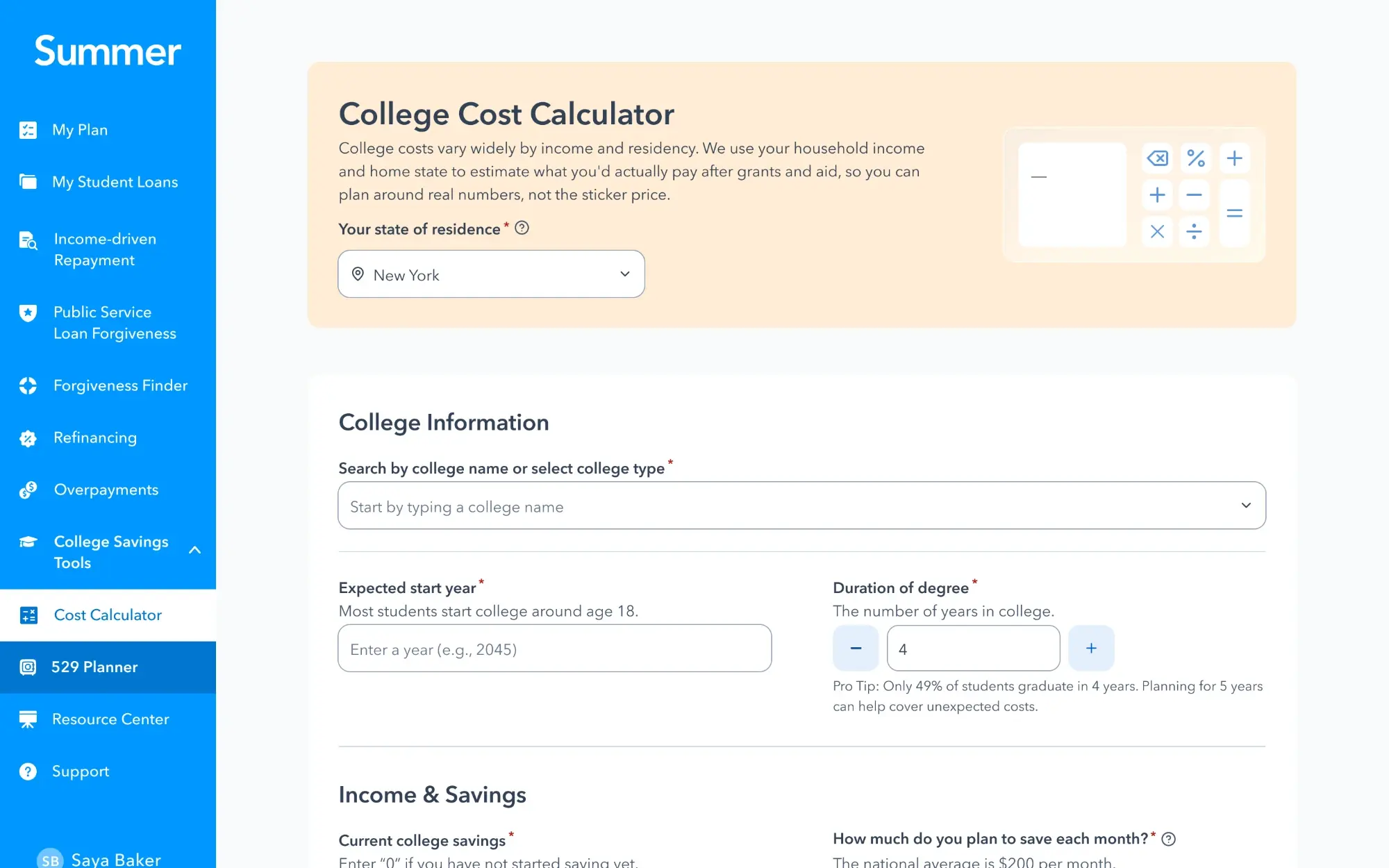
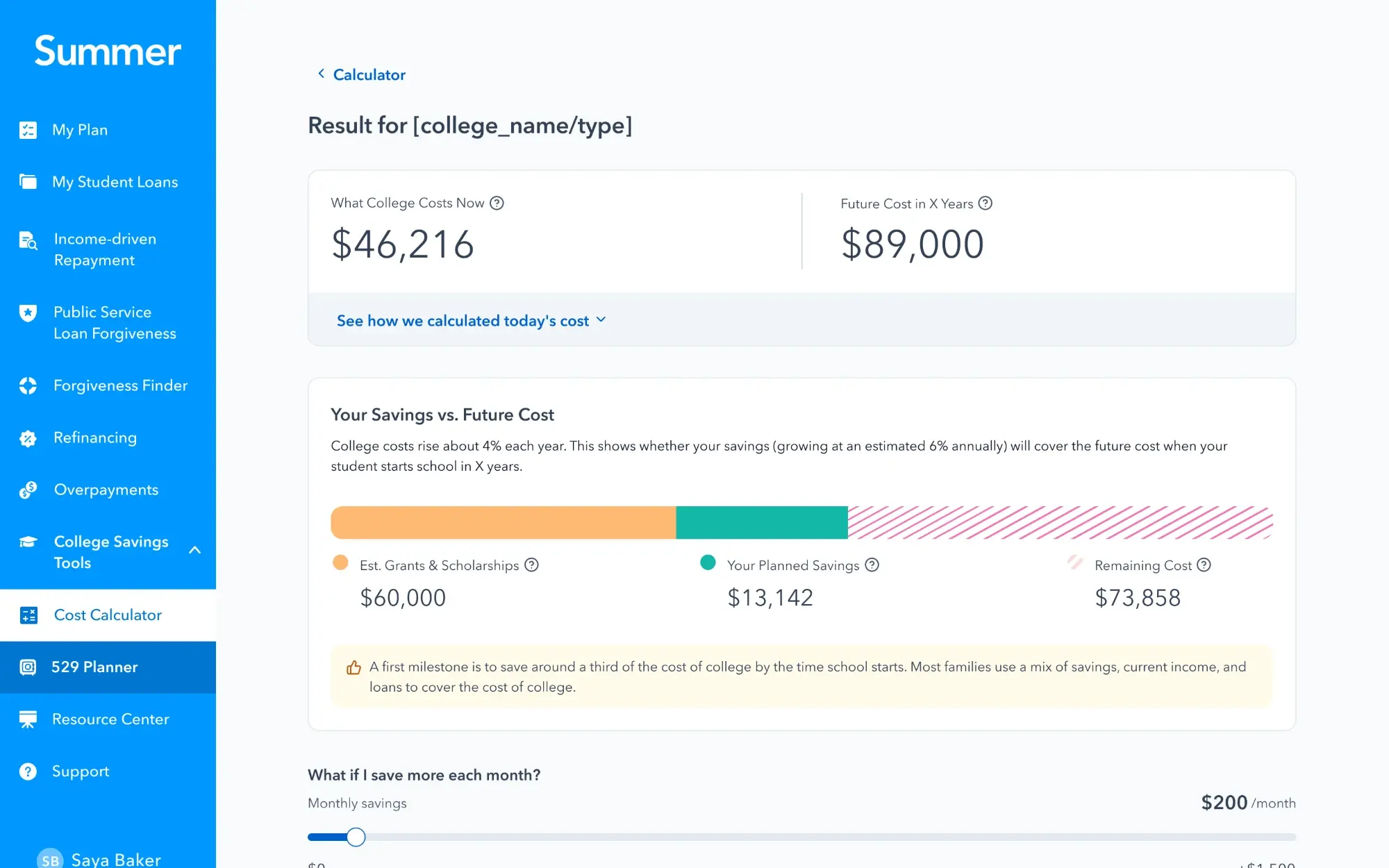
The 529 finder defaults to the user's state from onboarding, explains the in-state tax advantage against national plans, compares two or three plans at a time, and keeps lists thin with detail on demand. It links to each plan's own page so the product keeps its attribution without sending traffic to a data vendor. For the city, the savings programme appears as targeted placements, a banner on the 529 page, a home-state callout and a homepage notification for residents with dependents, rather than a flow that interrupts. The calculator got a state selector with in-state tuition as the default, which fixed inflated estimates, and shows today's cost beside the projected one with the inflation assumption a click away.
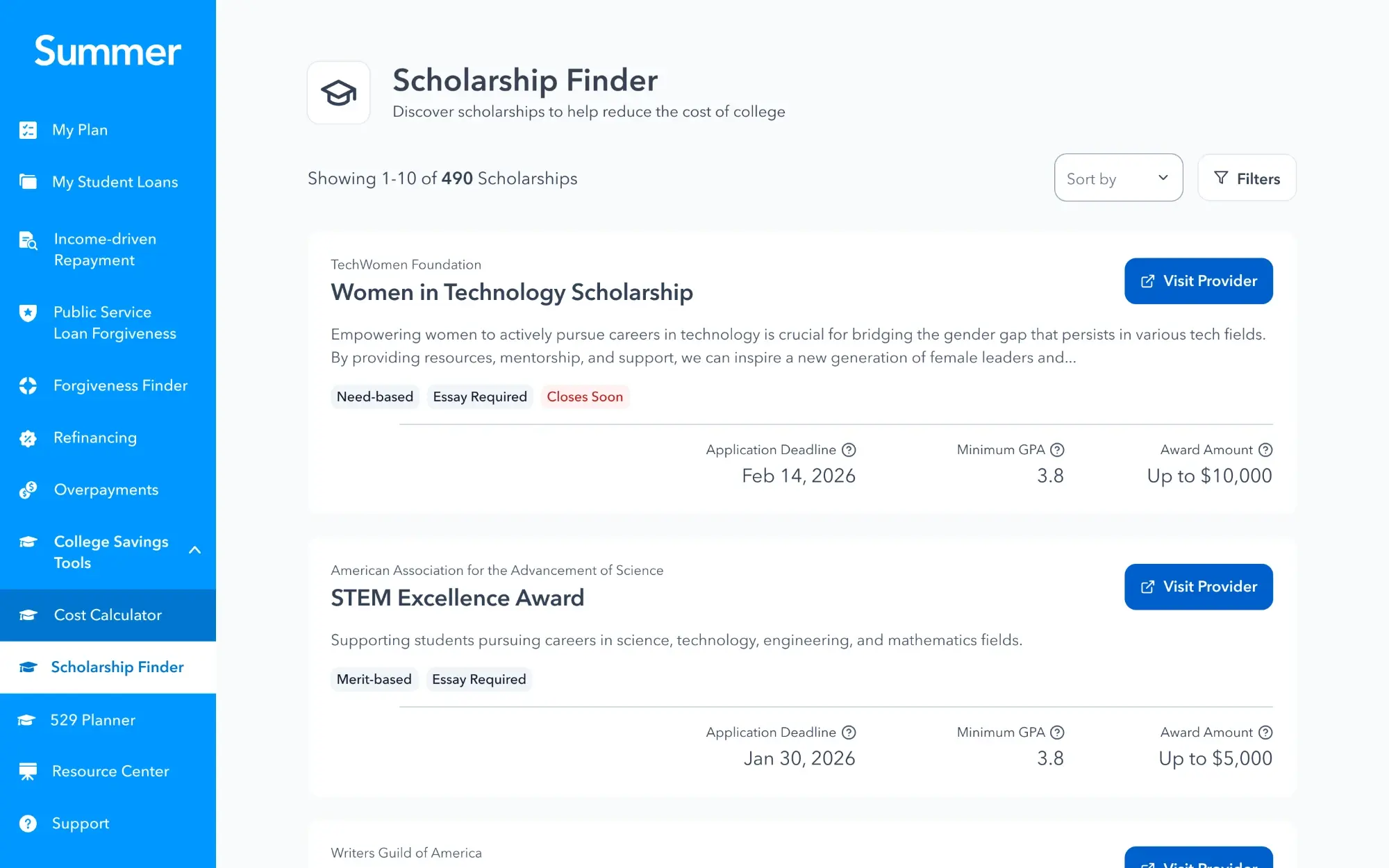
The scholarship finder shipped with one must-have and one nice-to-have. Filters lead instead of a weak text search, provider logos were dropped for consistency, navigation to the provider's site is explicit, every result carries its source, and a closes-soon cue adds urgency. Sales response was strong, especially for resident programmes, and usage taught us about placement: the city's My Plans surface generated roughly eight times the referrals of the 529 page itself. Tools that sit behind a navigation item do not get found; tools that sit where people already are do.
What the three taught me
Clients built the roadmap. Verified data is the recurring differentiator. Ship minimal, then learn. And in all three, the in-product funnel was healthy once people arrived: the real work was distribution, placement and reach.
The biggest consequence is structural. Because Retirement Match, Education Assistance and College Savings users exist, Summer's home can no longer be a loan dashboard with extras attached. The core app redesign starts from a template with benefit slots and an onboarding that collects what a benefit needs when it needs it. These three products are why.